Importando desde Content Hub e URLdispatcher
"hooks": {
    "openstore": {
        "apparmor": "openstore/openstore.apparmor",
        "desktop": "openstore/openstore.desktop",
        "urls": "openstore/openstore.url-dispatcher",
        "content-hub": "openstore/openstore-contenthub.json"
    }
},
In the previous guide we have seen a little bit about how Content Hub works. In this guide we will see how URLdispatcher works and how to handle imported data from the Content Hub.
Manexar datos do Content Hub
Aplicativo OpenStore desde open-store.io
Unha das formas máis sinxelas de probar un aplicativo é enviarche un clic de proba a ti mesmo en Telegram e abrir ese ficheiro de clic co OpenStore a través do Content Hub:
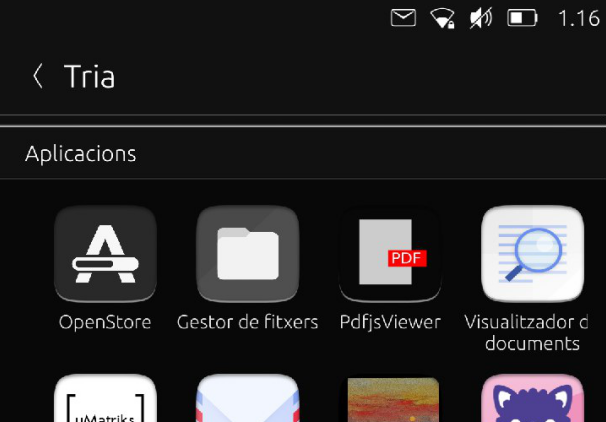
Se tocamos o aplicativo OpenStore, abrirase e preguntará se queremos instalar o ficheiro de clic. Vexamos «o código Main.qml da aplicación <https://github.com/UbuntuOpenStore/openstore-app/blob/master/openstore/Main.qml#L85>» _ para ver como se fai:
Connections {
        target: ContentHub

        onImportRequested: {
            var filePath = String(transfer.items[0].url).replace('file://', '')
            print("Should import file", filePath)
            var fileName = filePath.split("/").pop();
            var popup = PopupUtils.open(installQuestion, root, {fileName: fileName});
            popup.accepted.connect(function() {
                contentHubInstallInProgress = true;
                PlatformIntegration.clickInstaller.installPackage(filePath)
            })
        }
}
Do you see that Connections element that targets the ContentHub? When it receives the signal onImportRequested, it will take the url of the data sent from the Content Hub (transfer.items[0].url is the url of the first data sent) and open a PopUp element to let the user install the click.
Que pasa co URLdispatcher?
O despachador de URL é un software similar ao Content Hub que nos facilita a vida intentando escoller o aplicativo correcto para un protocolo determinado. Por exemplo: é probable que queiramos abrir o navegador web ao tocar un protocolo http. Se prememos nunha ligazón de mapa, é útil abrilo con uNav ou abrir unha ligazón de twitter no aplicativo de Twitter. Como funciona iso?
The URLdispatcher selects which app (according to their manifest.json) will open a certain link.
Let’s see how our navigation app looks inside. uNav’s manifest shows special hooks for the URLdispatcher in its manifest.json code:
1  [
2     {
3         "protocol": "http",
4         "domain-suffix": "map.unav.me"
5     },
6     {
7         "protocol": "http",
8         "domain-suffix": "unav-go.github.io"
9     },
10    {
11        "protocol": "geo"
12    },
13    {
14        "protocol": "http",
15        "domain-suffix": "www.openstreetmap.org"
16    },
17    {
18        "protocol": "http",
19        "domain-suffix": "www.opencyclemap.org"
20    },
21    {
22        "protocol": "https",
23        "domain-suffix": "maps.google.com"
24    }
25 ]
Isto significa que se abrirá en uNav unha ligazón que se pareza a http://map.unav.me/xxxxx,xxxxx. E iso defínese nas liñas 2 e 3, onde busca o protocolo http seguido de map.unav.me.
Ademais, un URI con formato geo: xxx, xxx debería abrirse en uNav, tal e como se define na liña 11.
E como administramos o URL recibido?
After the URLdispatcher sends the link to the correspondent app, we need to handle that URL or URI in the targeted app. Let’s see how to do that:
In the main qml file, we need to add some code to know what to do with the dispatched URL. Let’s check how Linphone app manages this adding a connection to the URI Handler with a Connections element setting UriHandler as a target.
Connections {
    target: UriHandler

    onOpened: {
        console.log('Open from UriHandler')

        if (uris.length > 0) {
            console.log('Incoming call from UriHandler ' + uris[0]);
            showIncomingCall(uris[0]);
        }
    }
}
This code will manage an URI in the form linphone://sip:xxx@xxx.xx when the app is opened. But what do we need to do to handle this link when the app is closed?
We need to add a little bit extra code that will cover two cases: 1) We receive one URL 2) We receive more than one URL
Let’s check if Qt.application.arguments is not empty and if not, if any argument matches our URI format.
Component.onCompleted: {
    //Check if opened the app because we have an incoming call
    if (Qt.application.arguments && Qt.application.arguments.length > 0) {

        for (var i = 0; i < Qt.application.arguments.length; i++) {
            if (Qt.application.arguments[i].match(/^linphone/)) {
                console.log("Incoming Call on Closed App")
                showIncomingCall(Qt.application.arguments[i]);
            }
        }
    }

    //Start timer for Registering Status
    checkStatus.start()
}
Remember to check that %u (to receive 1 URL) or %U (to receive 1 or more URLs) is present under the Exec line in the .desktop file of the app.
Tools
From command line, lomiri-url-dispatcher-dump command will give you the full list of registered protocol schemes and their corresponding app.
Another usefull tool, but not installed by default on devices is lomiri-url-dispatcher-tools, it allows you to simulate a call from a third party app. e.g: lomiri-url-dispatcher https://youtu.be/CIX-a-i6B1w will launch youtube webapp.
To install, it make your partition writable (sudo mount -o rw,remount /) and install it via sudo apt install lomiri-url-dispatcher-tools
Que ocorre se hai máis dun aplicativo que ten o mesmo tipo de URL definido?
A very good question. What happens if we tap on a Twitter link? How is such a URL handled by the URLdispatcher as protocol http or the protocol http://twitter?
Que pasa se dous aplicativoss teñen o mesmo protocolo definido?
Agora toca facer algunhas probas e compartir os resultados na seguinte guía.