O centro de contido: consellos e trucos
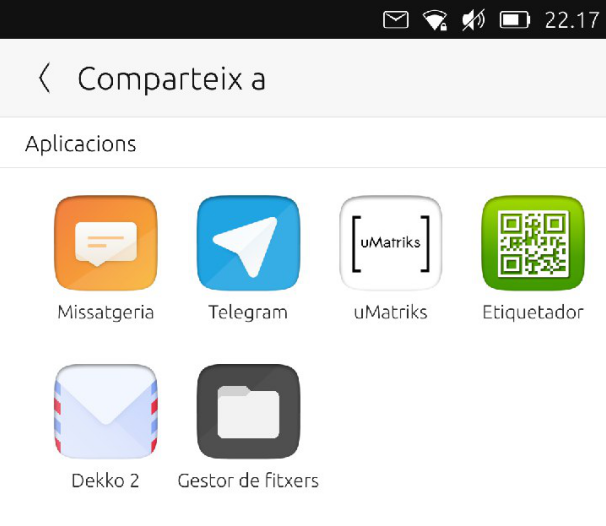
Páxina de contido do Hub de contido
En Ubuntu Touch os aplicativos están confinadas. A forma de compartir ficheiros entre eles é a través do Content Hub, unha parte do sistema que se ocupa da importación, exportación e compartición de ficheiros.
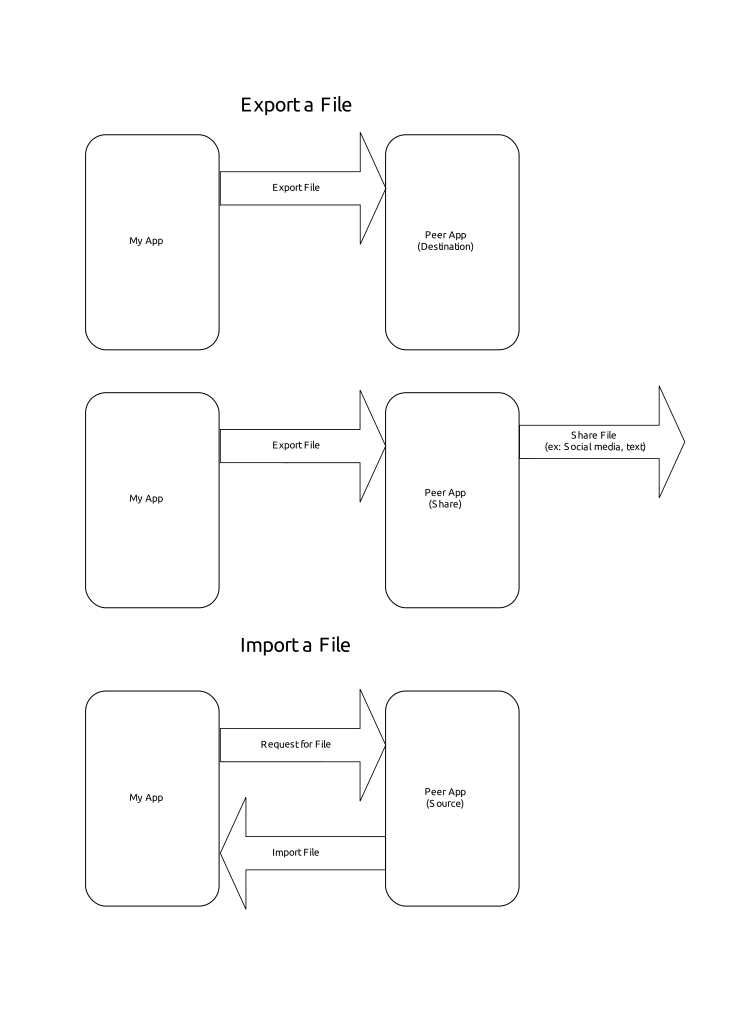
Diferentes xeitos de compartir o contido
Como podemos ver na documentación «Content Hub <https://api-docs.ubports.com/sdk/apps/qml/Ubuntu.Content/ContentHandler.html#detailed-description>» _, hai varias formas de tratar o ficheiro a compartir:
ContentHandler.Source(The selected app will provide a file to be imported)ContentHandler.Destination(The selected app will be the destination for the exported file)ContentHandler.Share(The selected app will be the destination for the exported file, which will then be shared externally)
Importando
Creador de Webapp no OpenStore
Looking into the code of Webapp Creator, we’ll find the code to import an image to be used as icon. Tapping on the place holder will open the Content Hub that will let us choose from where to import the image (see the Webapp Creator source code)
ContentPeerPicker {
    anchors { fill: parent; topMargin: picker.header.height }
    visible: parent.visible
    showTitle: false
    contentType: picker.contentType //ContentType.Pictures
    handler: picker.handler //ContentHandler.Source
ContentPeerPicker is the element that shows the apps.
var importPage = mainPageStack.push(Qt.resolvedUrl("ImportPage.qml"),{"contentType": ContentType.Pictures, "handler": ContentHandler.Source})
contentType is passed in Main.qml as ContentType.Pictures. So, we will only see apps from which we only can import images. handler is passed in the same line as ContentHandler.Source. As we want to import an image from the app selected in the Content Hub.
Exportando
Gelek no OpenStore
En Gelek, imos rematar con algúns xogos gardados que queremos gardar no noso dispositivo ou compartilos con nós mesmos (en Telegram e logo gardalos no noso computador).
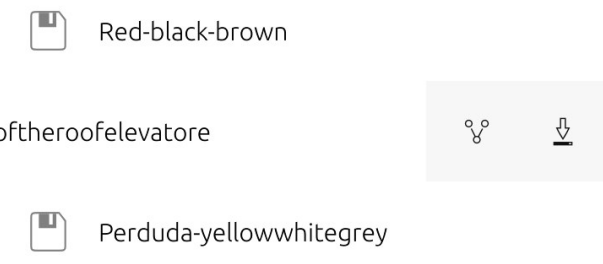
Tapping on the download icon we will get a Content Hub to save the game file (which is actually an export).
The game file is a file of type glksave. We will tell Content Hub that we are sending a file of type All (see the Install Page code).
ContentPeerPicker {
    anchors { fill: parent; topMargin: picker.header.height }
    visible: parent.visible
    showTitle: false
    contentType: ContentType.All
    handler: ContentHandler.Destination

    onPeerSelected: {
contentType is ContentType.All, so we will only see apps which are able to receive unmarked file types. handler is ContentHandler.Destination, so the app selected should store the saved game.
Premendo no Xestor de ficheiros gardarase o xogo gardado no cartafol que escollemos.
Espera un momento. Por que hai diferentes aplicativos?
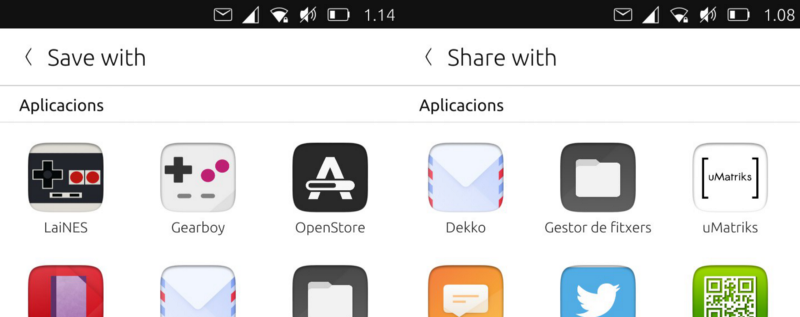
Centro de contido: Exportar vs Compartir
Cada desenvolvedor pode decidir as regras que seguiría cada aplicativo en relación co Content Hub. Por que OpenStore móstrase como o destino dunha exportación?
Comprobemos o seu manifest.json
"hooks": {
    "openstore": {
        "apparmor": "openstore/openstore.apparmor",
        "desktop": "openstore/openstore.desktop",
        "urls": "openstore/openstore.url-dispatcher",
        "content-hub": "openstore/openstore-contenthub.json"
    }
},
The above code defines that the hooks for the app named "openstore" in relation to the "content-hub" should follow the rules defined in openstore-contenthub.json
{
    "destination": [
        "all"
    ]
}
This means, the OpenStore will be the destination for all ContentTypes.
What about uMatriks? Let’s see its content-hub.json
{
    "destination": [
        "pictures",
        "documents",
        "videos",
        "contacts",
        "music"
    ],
    "share": [
        "pictures",
        "documents",
        "videos",
        "contacts",
        "music"
    ],
    "source": [
        "pictures",
        "documents",
        "videos",
        "contacts",
        "music"
    ]
}
So, with this example, uMatriks will be able to be the destination, source and share app for all kinds of ContentType.
What about the other hooks in the manifest.json? That is discussed in the next guide.