主要動作
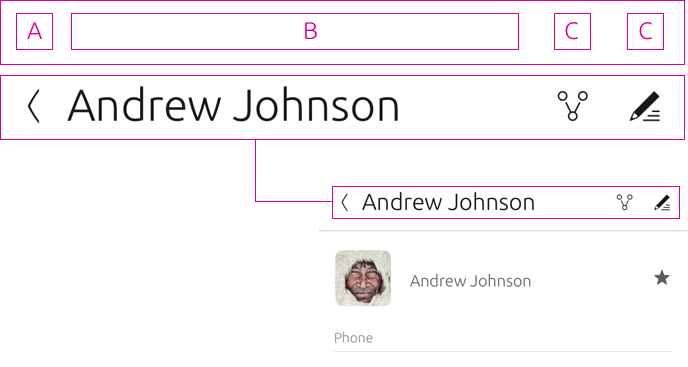
Main actions are displayed in the corresponding header of the Page. The header should show only relevant actions to the current page.
聯絡人應用程式主頁顯示:

檢視單個聯絡人時,僅顯示相關操作:

插槽
The header contains a number of slots that can hold actions or navigational options. Depending on the surface or window size, additional slots can be added to show the actions otherwise hidden in drawers.
動作抽屜
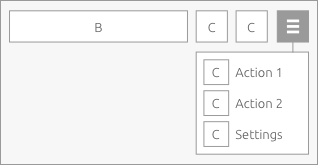
Actions will be placed into an action drawer when there are no available slots to house them. However, when your app is on a larger surface, like on a desktop, then actions will appear in the slots.
回應式佈局
As the header gains width across screen sizes, additional slots become visible and actions in the drawer will appear automatically.
3 插槽佈局

4 插槽佈局

5 插槽佈局

6 插槽佈局


中型到大型螢幕
The maximum number of visible action slots in a convergent environment is 6. If this is exceeded then additional actions will migrate to the action drawer.
簡單
Keep in mind to keep a clean design. The simpler, the better.